Friday, February 13, 2015

Tan Super Tanks!

The Tan Army has acquired a new super tank. I feel bad for the Tim Mee green tanks that have to face these.


 General Tannenburg approves the use of this weapon. But a monstrous tank needs an effective crew, and I'm figuring out ways to make some. I'm modifying army men as if I'm the evil Grey doctor himself!
Here is a size comparison with with my other tanks. The familiar Tim Mee Patton on the left, a tank destroyer at the center. The tank destroyer is modeled after the Pershing tank. I made the camouflage ghillie suit thing strapped on its turret with some garden foliage and strips of net that came from a bath scrub! I think I'll make a tutorial of that some time. 

Here's the super tank in the store, There's another design of a green colour that resembles the Tiger tank.

The super tank was actually a remote controlled. I can't have any of that in my army, so I stripped all its electronics and the antennae. The threads can't move by the way, but there were small wheels underneath that make the tank look like it's floating on air., so I removed those to. 

So what would be the future use of this tank? Well obviously there's gonna be some tank battles. I think these locations would be perfect. Check out the pictures below.


Tutorial #1: Urban Craters


Materials:
1. empty pie tins, choose any size that you like, make sure they're clean.
2. fine grain sand
3. grey acrylic paint
4. black spray paint (optional)
5. PVA glue
6.cork/small pebbles


I start with a clean pie tray, they are small ones, the ones that would contain tarts.


Turn them over with the bottom side facing up. Then press them down until they form the shape of the crater.

Spread some PVA glue on the crater and then sprinkle the fine grit sand over the glue to make them stick. Make sure to get rid of excess glue that did not stick.
Using small pebbles or pieces of cork(I used cork). Glue them down in the middle of the crater, this will help make it look more uneven and ruined.

Then we will prime the crater black using the black spray paint, you can use black acrylic paint, but spray paints are easier. And fun.

 The final part is dry-brushing this crater with a light grey. If you don't know what dry-brushing is, it is basically putting a little bit of paint on your brush, then your method of brushing should be in quick strokes. As you can see in the picture below, the left crater looks much better because I kept my brush from touch too much of the crater. So there are still some blacks marks left from painting it black, making it look more scorched. The one on the right looks a bit less impressive because I put too much paint on my brush, making the final product look more grey than I liked.

 Hope you like this tutorial, like, share and comment!

Thursday, January 29, 2015

Terrain tutorial coming soon!

These craters makes any urban war terrain come to life, and also great cover for defending troops. 


Friday, January 2, 2015

I'm not dead...

Happy New Year everyone.

I've been busy in college but I'm just as obsessed with army men stop motion films as ever. What has changed for me is the story of my script. I have been building, cutting and piecing together little buildings, for an urban battle. The details I haven't figured out yet, but the story's gonna be simple, I'm striving for simplicity this time. Hopefully I would be able to control my ambitious plans that don't work.

I have also been messing with Photoshop and Inkscape, I made a few paper cut-out templates and also a wallpaper about Plastic Apocalypse.

Here are the flag templates, cut and stick them on some sticks and you have your customized tan and green flags. Let me know if you want some other designs.


The first official Plastic Apocalypse wallpaper, sort of. It has been proudly sitting on my desktop for quite some time.


I will strive to update more on my new film as I go along.

Tuesday, June 17, 2014

My animation equipment

 I use the Logitech C525 for my stop-motion animation, it's light-weight, can turn 360-degrees from a static position and can produce 720p HD photos, the highest possible quality for this device. I also own a SLR camera but they heavy and bulky things to move around and could easily bump into any set pieces, which is just my opinion.


Logitech C525 HD webcam

The first project that I used this was in "Blown to Bits"

https://www.youtube.com/watch?v=OUwl_MFmUTA.

 I remember how difficult it was to handle because it's obviously light-weight and the slightest touch could push the camera away from your target. Luckily, this stop-motion exclusive PC program called Stop Motion Pro allowed me to correctly re-align the camera when this happens.


Onion-skinning, is a useful guide within Stop Motion Pro that shows you where your characters BEFORE and AFTER you've moved the camera. This is instant relief for anyone who's made a mistake or to anyone trying to make their animations smoother. But, one advantage of filming a battle scene is it's okay to make your camera shake a little to show the chaos, just don't overdo it.

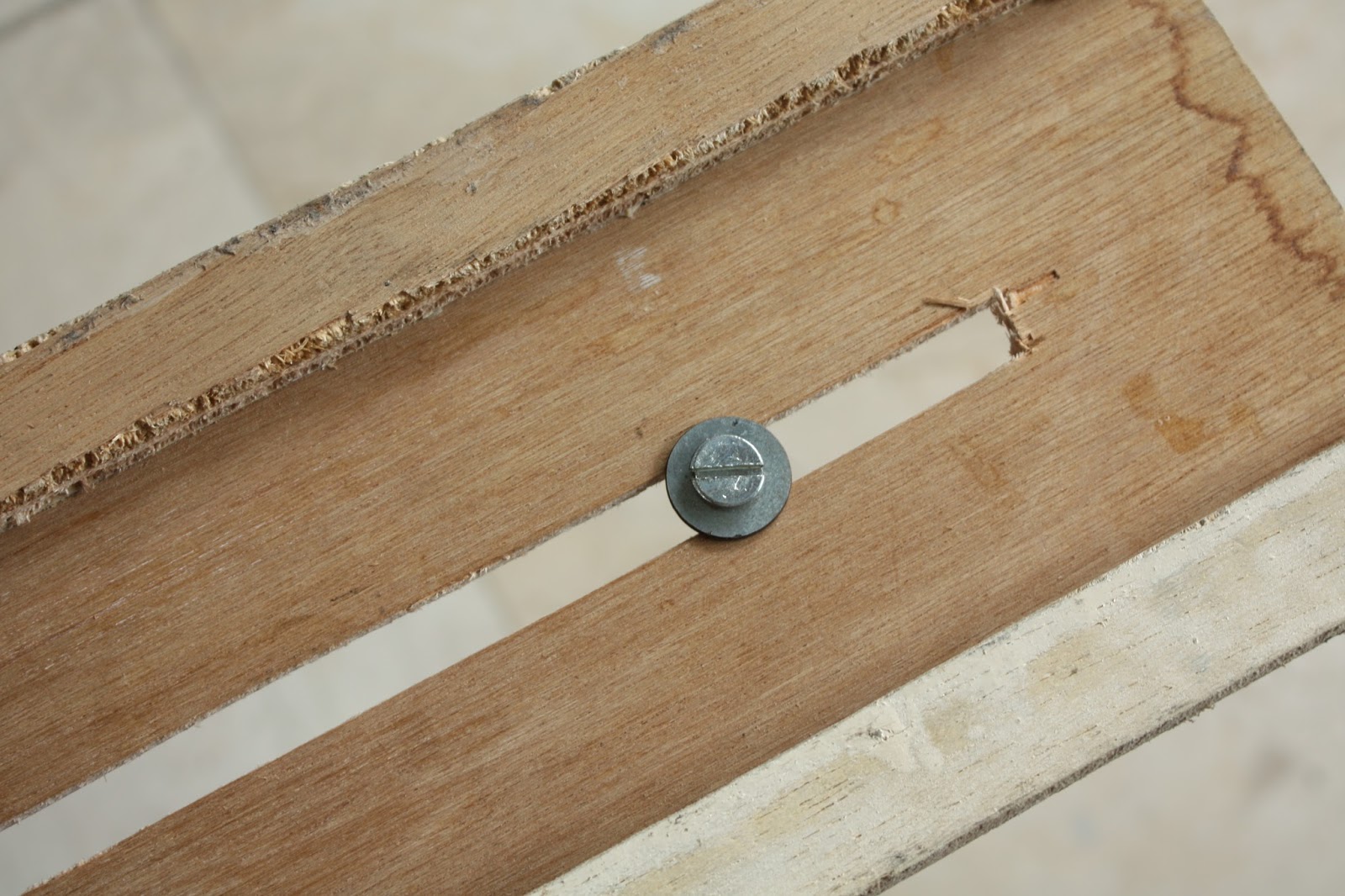
Moving on, I've made some home-made equipment that might interest some of you. First is a wooden dolly, picture below of the top view and several more photos of what it's made of. Quite simply a dolly is something that makes your camera slide across a flat surface.Here are more pictures showing the dolly already set up for filming a demonstration.


Materials

The underside of the rail track
1. Inserting the screw where the trolley will go through


2. Followed by the trolley


3. Topped by a turret ring

4. Mount the Platform where the webcam will be mounted


Here is my result, a tank crushing an army man, it was a fun little video


My second home made equipment is a tripod extension arm. An extension arm is useful because it allows me to adjust the camera's angle. Because I'm filming small army men I need something that will give me a face-view of my characters.

Here are a few pictures and steps on how I assemble it.

Materials


1. Tripod only
2. Attaching the extension arm using the tripod's screw

3. Securing the camera


Here's another test video.

Finally I end this post with me finishing up the test.

Sunday, May 25, 2014

New Maps, and some props

I was having fun with my new laptop and made these two new maps for Plastic Apocalypse.
This first one is familiar because it's basically a "remastered" version of the original world map.

Hedge base on the other is part hand drawn, part photoshopped.
 Hedge base is located in Greentoria, inside a square-shaped hedge which makes it ideal for defence. Despite this, a massive green attack wiped out 4/5 s of the tan garrison in less than an hour. The Tan Captain Hammer and a handful of men retreat deep within their underground hideout, how will they strike back at the greens?

Making fake grass to serve as background fillers.

Here's a rather eerie prop or should I say character. He's destined to be Captain Hammer and he's made out of polymer clay from the waist up instead of plastic. I'm still working on this guy and all I could say that it's excruciatingly difficult to work with this material( I've recently broken this guy's left arm, the head would be a nightmare). I'll do my best of course. Besides Captain Hammer, there's Sergeant Pilar, his right-hand man. And several others minor characters.


I will be showing off my home-made camera dolly soon once I've tested and deem it worthy for animation uses. Later!

Tuesday, April 8, 2014

Captain America - Theater Of War

I
I'm promoting this video here because it's just an amazing ww2 animation.